Script to video, turn what you
wrote into a finished video
Paste a script, a draft, or a rough outline — Fableclip reworks it into narrated scenes with AI visuals, a natural voiceover, word-by-word captions, and music, assembled into one vertical video. Your writing stays the blueprint; the production runs itself.

- Your script as the blueprint
- AI visuals + natural voiceover
- Word-by-word captions
- Post anywhere, or run a series
Auto-publishes to your channels
From a script to a finished video
No recording, no editing timeline. Your writing goes in; a produced video comes out.

Paste what you wrote
A polished script or a rough outline — the generator works from either.
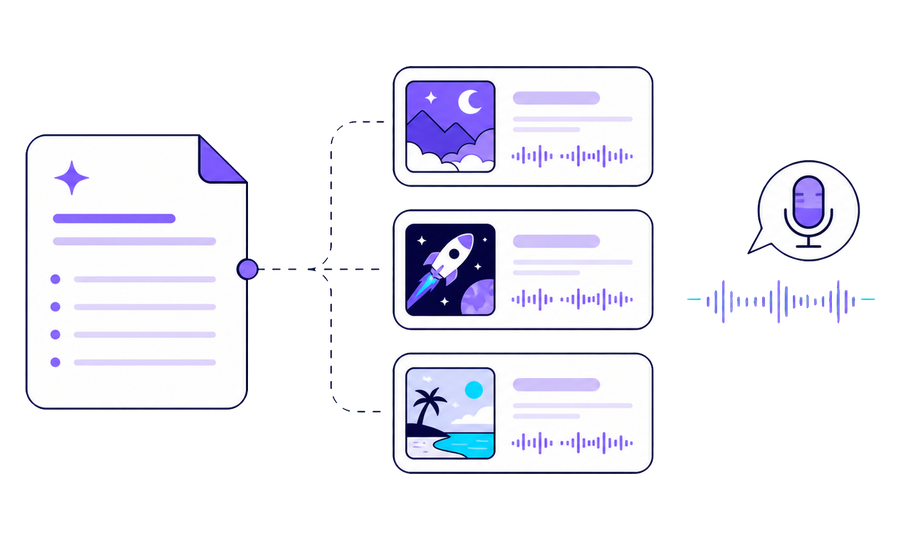
AI produces every scene
Narration, AI visuals, captions, and music are built around your structure.

One finished video
A complete vertical video, ready to post — or to repeat as a series.
What does script to video mean here?
Script to video is the step most writers get stuck on. The words are done — the hook, the beats, the payoff — but between a finished script and a finished video sits everything you did not sign up for: recording a voiceover, sourcing visuals, timing captions, mixing music, editing it all together.
fableclip closes that gap in one step. Paste your script or outline and it becomes the blueprint for the whole production: AI breaks it into timed scenes, writes the narration around your structure and wording, reads it in a natural voice, illustrates every scene with on-style AI images that drift and zoom gently, and burns in word-by-word captions that land as the narrator speaks. Out comes one finished vertical video.
One thing to be clear about, because it is what makes this different from teleprompter-style tools: Fableclip is not a text-to-speech reader. The AI treats your script as the blueprint — it keeps your structure, your points, and your voice, and fills in whatever a finished video still needs. If your script is tight, it stays tight. If it is a rough outline, it becomes a full video anyway.
And because it is built for faceless creators, none of it needs a camera, a microphone, or an editing timeline. Write, paste, generate, post — or connect your channels and let a whole series run on a schedule.
Scripts the generator turns into videos
If you can write it, it can become a faceless video — these are the formats creators paste in most.
Shorts & TikTok scripts
Hook-first scripts written for vertical feeds, produced exactly on the beat.
Storytelling scripts
Narrative scripts with a setup and a payoff — the AI keeps your pacing.
Explainer scripts
How-it-works and why-it-happens writing, illustrated scene by scene.
Listicle scripts
Top-5s and rule-of-3s, one punchy scene per point.
Motivational scripts
Hard-hitting lines delivered in a deep, steady AI voice.
Educational scripts
Facts, history, psychology — your lesson plan becomes a visual lesson.
Quiz & trivia scripts
Question-pause-reveal formats with captions that land on cue.
Draft ideas & outlines
Not a script yet? Bullet points are enough — the AI drafts the rest.
Who script to video is for
Writers who hate editing
You are good with words. Paste them and skip the recording, the stock-footage hunt, and the timeline entirely.
Faceless channel owners
Keep creative control of every script while the production — voice, visuals, captions — runs itself.
Teams with a content backlog
A folder of approved scripts becomes a publishing queue: paste, generate, schedule.
Everything the generator builds from your script
A finished video
Not a draft to assemble — a complete vertical video from your script, ready to export or publish.
Your structure, kept
The AI builds scenes around your hook, your points, and your payoff instead of flattening them.
Voice + captions, synced
A natural AI voiceover with word-by-word captions timed to it — no manual syncing.
Series-ready
Turn one script format into a scheduled series that auto-publishes to your channels.
One script today, a channel tomorrow
Script to video is the single-video move. Fableclip can also take the format you write best and keep producing it — a new video on a schedule, auto-published to the channels you connect.
Turn my script into a video
Script to video with AI, explained
A script to video tool takes writing as its input and produces a watchable video as its output. Instead of handing your script to an editor — or becoming one yourself — you paste the text and the tool handles the production: narration, visuals, captions, music, and assembly. For creators who think in words first, it turns the hardest half of video-making into a single step.
fableclip approaches script to video the way a producer would, not the way a teleprompter would. Your script is treated as the blueprint: the AI splits it into timed scenes, shapes the narration around your structure and phrasing, generates on-style AI images that drift and zoom gently across the screen, adds background music, and burns in word-by-word karaoke captions synced to the voice. The result is a finished vertical video that reads like your script and watches like a produced piece — with no camera, no microphone, and no timeline editor involved.
That blueprint approach is a deliberate choice. Verbatim text-to-speech readers preserve every word but inherit every problem too: pacing that reads well on paper but drags on screen, sentences that run past the scene, no visual plan at all. By letting the AI produce your script rather than recite it, Fableclip keeps what makes your writing yours — the argument, the order, the tone — while making the on-screen version tight. Writers with a finished script keep their structure; writers with three bullet points still get a full video.
It also scales past the single video. Because the same pipeline powers Fableclip's series engine, a script format you like — a weekly explainer, a daily fact, a story arc — can keep producing on a schedule, auto-published to connected channels like YouTube, TikTok, and Instagram. Script to video for the first one; a self-running channel for the rest.
What script to video actually produces
No overpromises — here is exactly what comes out.
- Input
- A pasted script, draft, or outline — typed text, no file upload needed
- How your script is used
- As the blueprint: the AI reworks it into narrated scenes — it does not read it word-for-word
- Format
- A finished, ready-to-post vertical video — script, voiceover, visuals, music, and captions in one file
- Visuals
- AI-generated images that pan and zoom gently — not generated film footage
- Voiceover
- Natural AI narration in multiple voices and languages
- Captions
- Word-by-word captions highlighted as the narrator speaks
- Length
- You pick the duration when creating — current options are shown right in the create screen
- Series
- Optional — keep a script format running to produce new videos on a schedule
- Publishing
- Auto-publishes to your connected YouTube, TikTok, Instagram, X or Threads
- Free tier
- Free to try; free exports carry a small watermark that Pro removes
Frequently asked questions
Does it read my script word-for-word?
No — and that is deliberate. Fableclip is a script to video producer, not a text-to-speech reader: the AI uses your script as the blueprint, keeps your structure, points, and tone, and shapes the narration to work on screen. If you need every word preserved exactly as written, a verbatim TTS tool is the better fit; if you want your writing turned into a produced video, this is it.
What kind of script can I paste?
Anything from a polished script to a rough bullet outline. The more structure you give it — hook, points, payoff — the more the finished video follows your plan. Even a few lines are enough to generate from.
Is this a free script to video generator?
It is free to try — you can turn a script into a video without a card, and free exports carry a small Fableclip watermark that Pro removes.
Do I need to record a voiceover?
No. A natural AI voice narrates the video, and word-by-word captions are generated and synced automatically. You choose the voice and language.
What does the video look like?
A vertical, image-led faceless video: AI visuals in the art style you pick, moving with a gentle pan-and-zoom, with captions and music. It does not generate film-style motion footage, avatars, or lip-synced presenters.
Can I make videos from scripts on a schedule?
Yes. Keep the format running as a series and Fableclip produces and auto-publishes a new video on the schedule you set, to the channels you connect.
Script to video maker, converter, generator — is this the same thing?
Same job, different names. Whatever you call it, the input is your script and the output is a finished faceless video.