On this page
- Step 1: Give it one clear idea, and pick a writing style that fits
- Step 2: Choose a length that fits the story
- Step 3: Pick an art style that matches the mood
- Step 4: Cast the voice like an actor
- Step 5: Put music under the voice, not on top of it
- Step 6: Make the captions readable
- Step 7: Read the script before the video is made
- Step 8: Fix what's left after the video is made
- When a video comes out wrong
If you're working out how to make faceless videos with AI, here's the short version: the tool can do almost all of the work, but a handful of choices you make at the start decide whether the result looks good or looks cheap.
This guide walks through those choices one by one, in the order you meet them when you create a series in Fableclip: the topic and writing style, the length, the art style, the voice, the music and the captions. For each one you'll see what it controls, how to pick well, and what usually causes a bad result. At the end there's a quick table for fixing a video that didn't come out right.
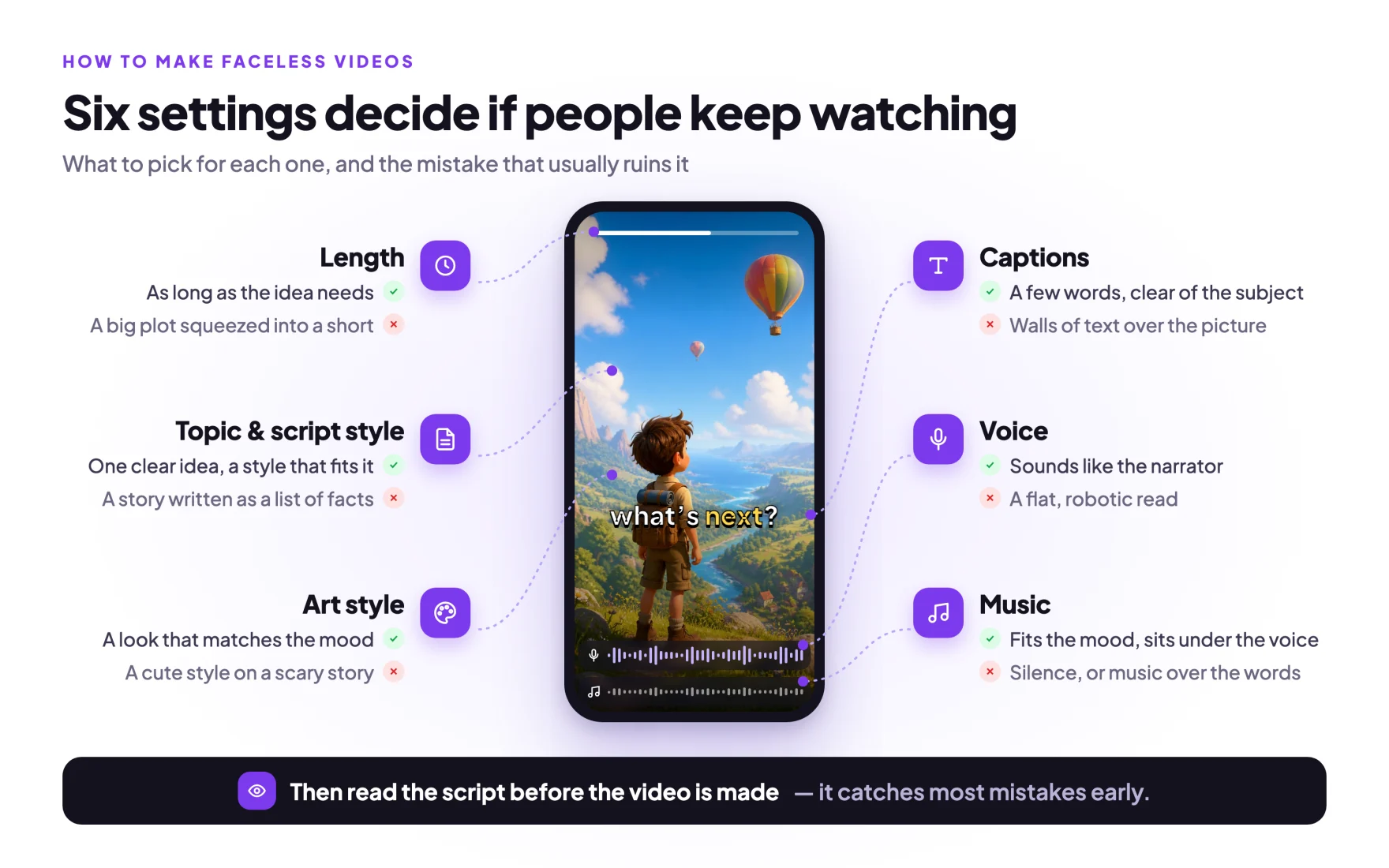
Step 1: Give it one clear idea, and pick a writing style that fits
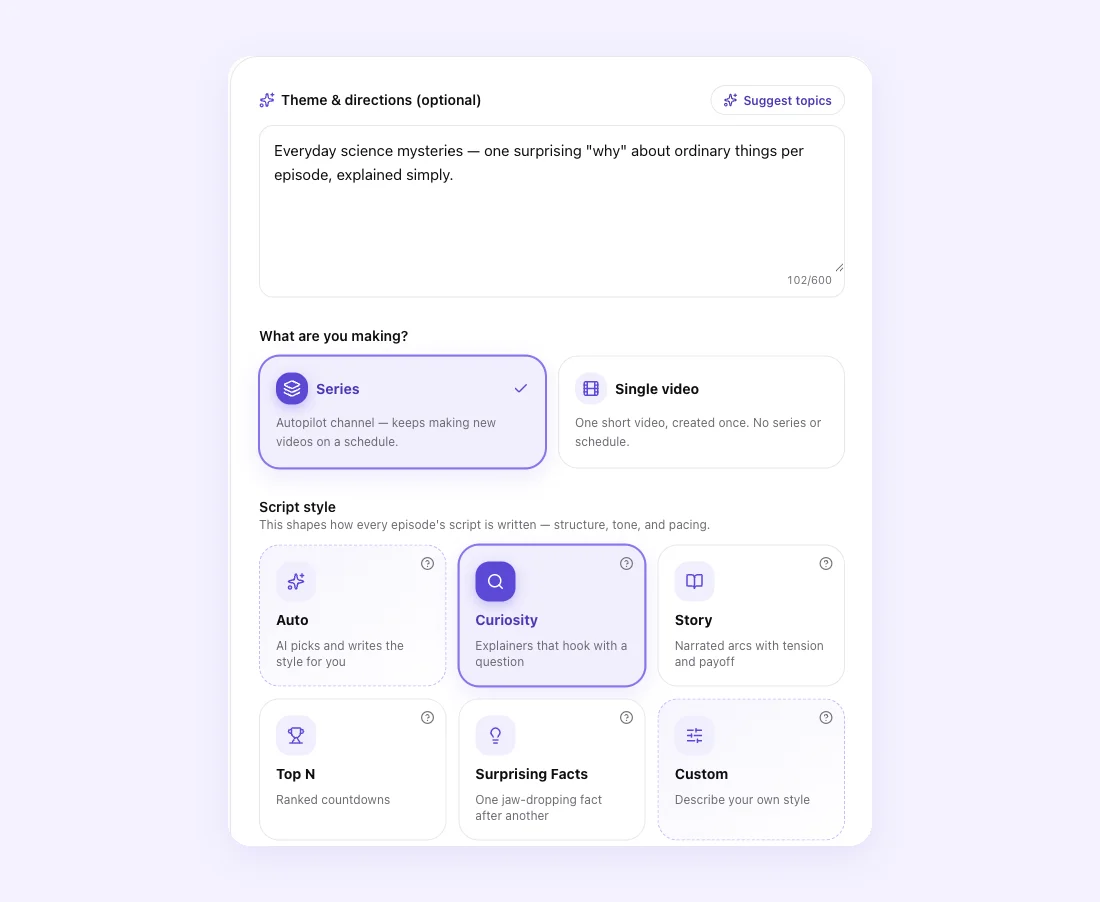
What it controls. The theme box tells the writer what the series is about and where it should go. The script style decides the shape of every script: Story tells a story with tension and a payoff, Curiosity opens with a question and explains it, Top N counts down, Surprising Facts runs through facts, and Custom lets you write your own rules for how scripts are written. Auto reads your theme and picks for you.
How to pick. Write the theme as the video you'd want to watch, not as a keyword. "Everyday science mysteries — one surprising why about ordinary things per episode" gives the writer far more to work with than "science facts." Then pick the style that matches the shape of the idea. If you're not sure, Auto is a safe choice.
Look at how simple the idea is behind one of the most-watched faceless Shorts on YouTube. Zack D. Films has 28.5 million subscribers, and this one asks a single question and answers it:
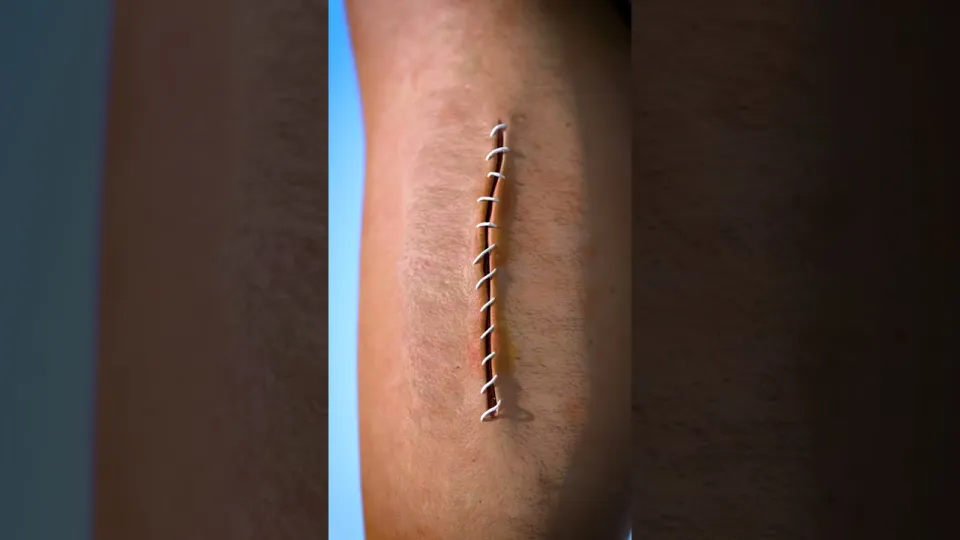 Zack D. Films — "How Stitches Work", 254M views
Usually goes wrong because…
- The style fights the idea. A personal story run through Surprising Facts comes back as a list of facts. A countdown idea run through Story loses its list.
- The theme and the directions pull in different directions. One idea, said once, works better than two ideas stuck together.
- The idea is a copy. YouTube's monetization rules say it won't pay for "AI-generated content made with generic or unoriginal templates" or "templated storylines." Put your own angle into the theme, or write your own rules with Custom.
Step 2: Choose a length that fits the story
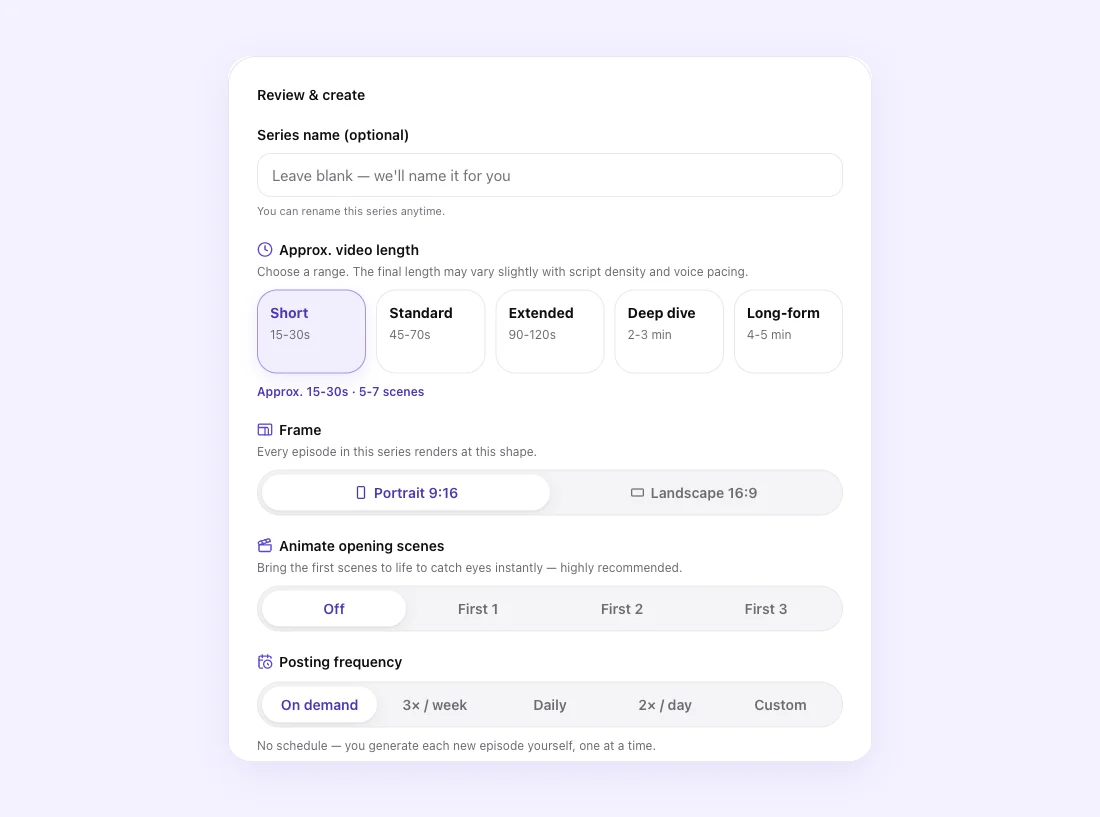
What it controls. How long each video runs, and so how much story the writer fits in. You'll find it on the last step, next to the frame (portrait or landscape) and whether to animate the opening scenes.
How to pick. Let the idea decide. One fact, one twist or one joke fits comfortably in Short. A story with a setup and a payoff wants Standard or more. Explainers that need room to breathe can go longer. YouTube now counts vertical videos up to three minutes as Shorts, but that's a ceiling, not a target.
Usually goes wrong because…
- Too much story for the length. A plot with several characters squeezed into Short feels rushed and confusing.
- Too little story for the length. A thin idea stretched to a long video starts repeating itself.
- A big idea in one video. If your idea has chapters, make it a series. In Fableclip each new episode knows what the series already covered, so an ongoing story continues instead of starting over.
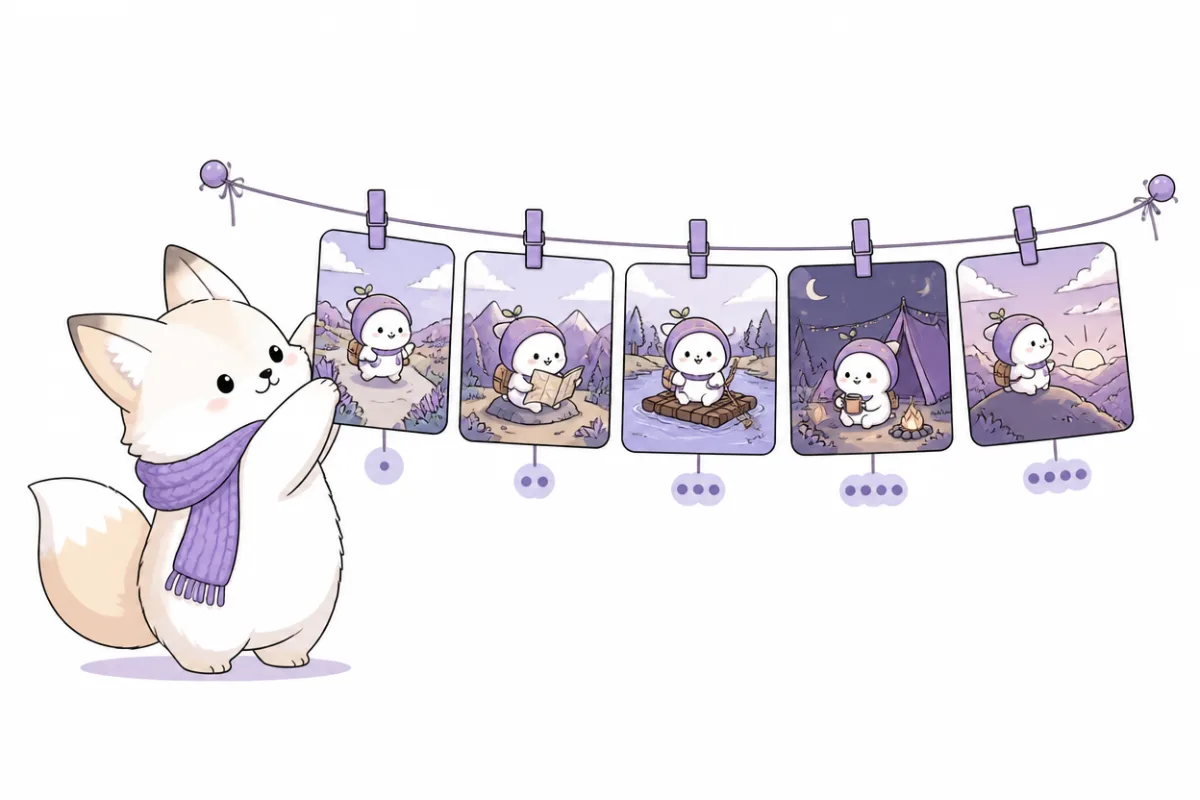
Step 3: Pick an art style that matches the mood
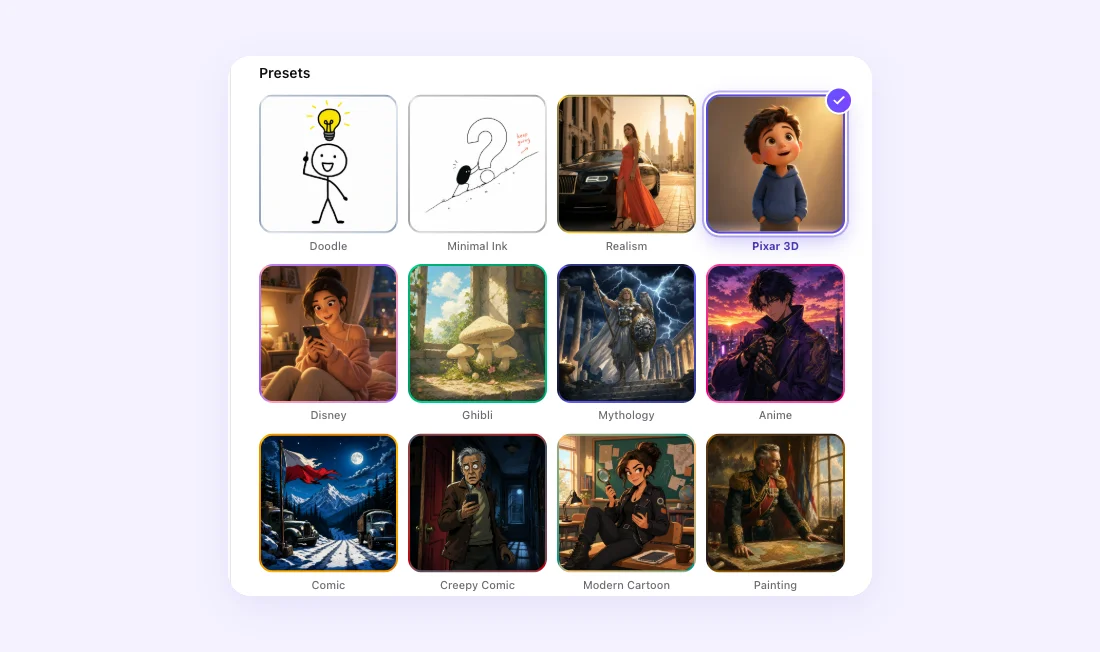
What it controls. How every scene is drawn, across the whole series. You can use a preset or describe your own style.
How to pick. Imagine the video with the sound off. Should it feel cozy, creepy, funny or serious? Pick the style that says that on its own: a soft storybook look for bedtime stories, a creepy comic look for horror, a clean doodle for explainers. Kurzgesagt is the classic example of a style so consistent you'd know it from one frame:
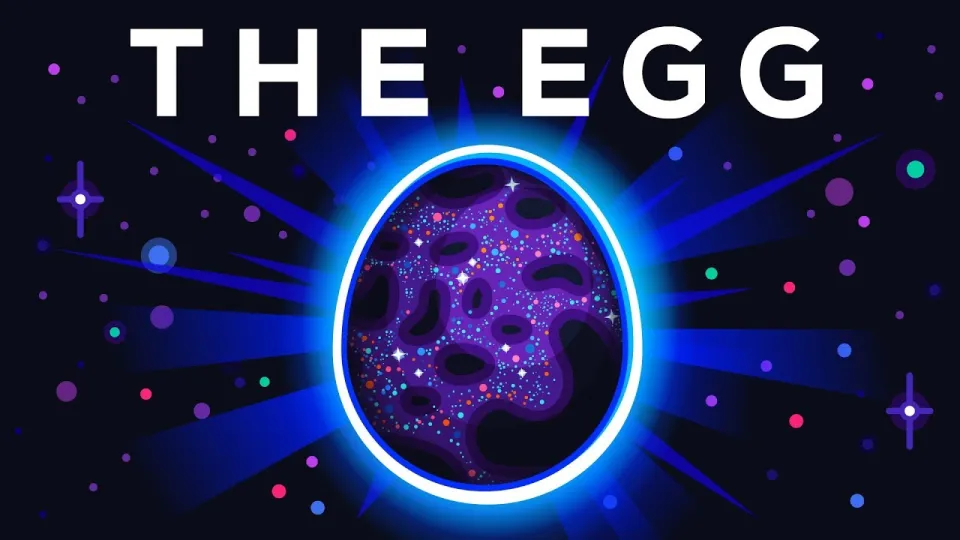 Kurzgesagt — "The Egg - A Short Story", 36M views
Usually goes wrong because…
- The style doesn't match the tone. An epic, heroic look on a small everyday comedy feels odd, and so does a cute look on a scary story.
- A custom style describes the wrong thing. Describe how the picture looks — medium, colors, lighting, mood. Leave out who's in it and what happens; that belongs in the theme.
- The look keeps changing. On r/NewTubers, a folklore creator put it plainly: when "the art style shifts dramatically every 10 seconds", retention "drops off a cliff." Pick one style for the series and keep it.
Step 4: Cast the voice like an actor
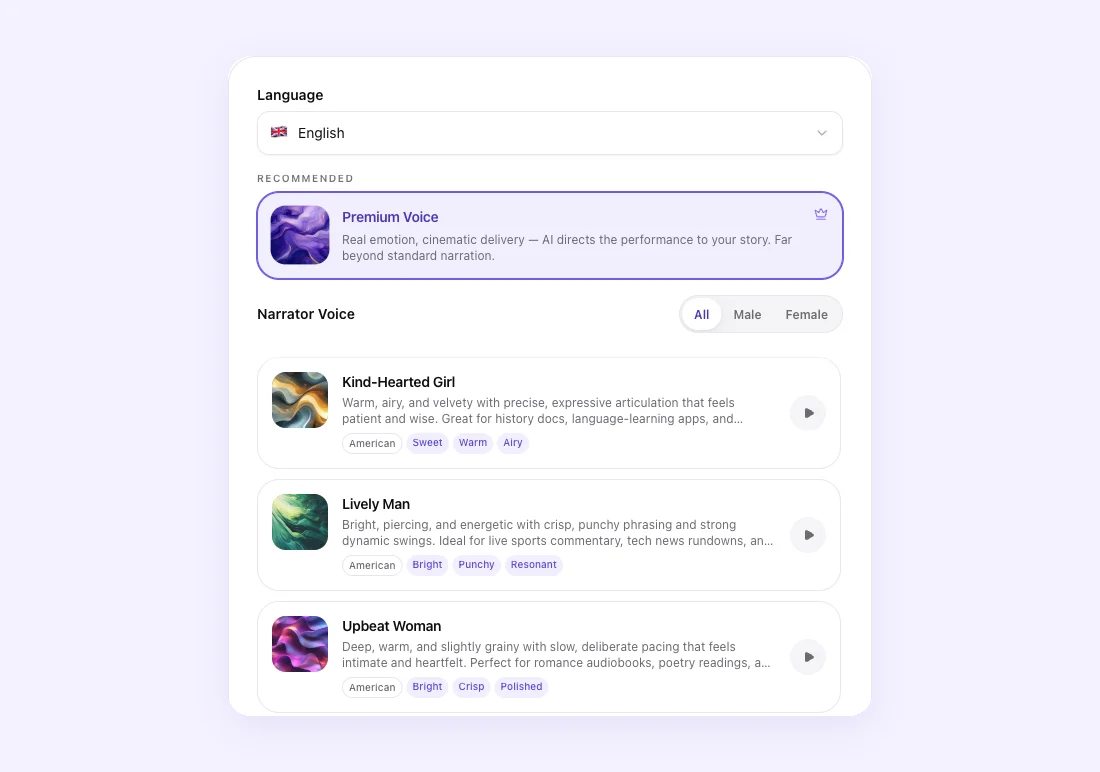
What it controls. Who narrates every episode, in which language. Each voice has a short description and a preview. Premium Voice reads the whole script first and then performs it, deciding where to push, pause and soften.
How to pick. Match the narrator and the mood. If the script says "I" and the "I" is a young man, pick a voice that sounds like one. Scary stories want a low, slow voice. Comedy wants something bouncy. Explainers want clear and friendly. Then press play and listen before you commit.
Viewers are quick to leave a voice that doesn't work. When a new creator asked Reddit whether to use an AI voice, one of the top replies was "I would instantly click off a video if it was narrated by AI." What people mean is the flat, robotic read. A voice that fits and performs is a different thing. Horror channel Mr. Nightmare, with 7.14 million subscribers, is built on one steady, low narrator; its mall episode had 904,000 views six days after it went up:
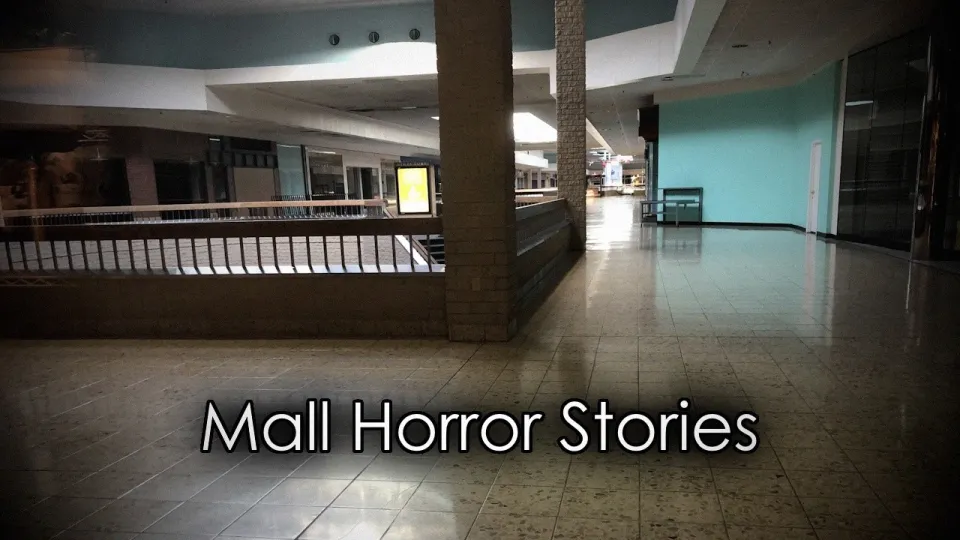 Mr. Nightmare — "3 Terrifying TRUE Mall Horror Stories"
Usually goes wrong because…
- The voice doesn't match the narrator — wrong age, wrong gender, or a voice made for a different language.
- The energy doesn't match the story — a bright, sweet voice on a horror story, or a grave voice on a joke.
- The voice changes between episodes. Keep one narrator per series so people recognize it.
Step 5: Put music under the voice, not on top of it
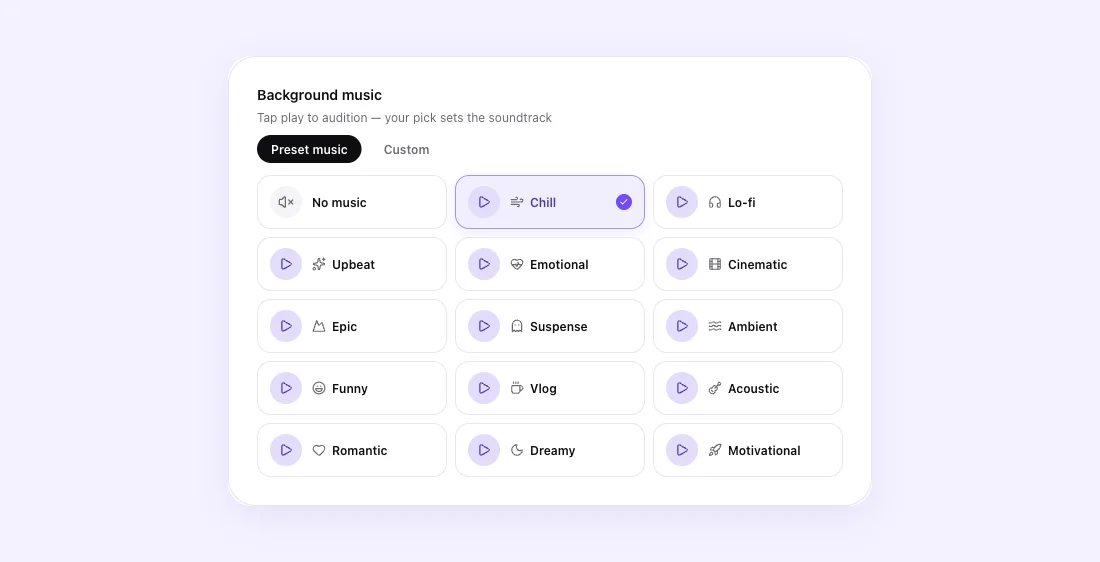
What it controls. The soundtrack for every episode. Pick a mood from the preset list and press play to hear it, or upload your own track in the Custom tab.
How to pick. Match the mood of the story: Suspense for horror and mysteries, Funny for comedy, Chill or Dreamy for calm explainers and bedtime stories. Keep it clearly under the narration.
Don't underestimate this step. A creator running an animated AI series on Reddit said their retention jumped more from audio work than from any visual upgrade: "A well-mixed voiceover and a score that fits will carry mediocre visuals. Bad audio will destroy beautiful visuals."

Usually goes wrong because…
- No music at all. A voice over silence feels unfinished.
- The music is too loud. If you have to strain to hear a word, turn it down. You can change the volume after the video is made.
- The mood is wrong. Upbeat music under a sad story, or tense music under a joke, pulls against the voice.
Step 6: Make the captions readable
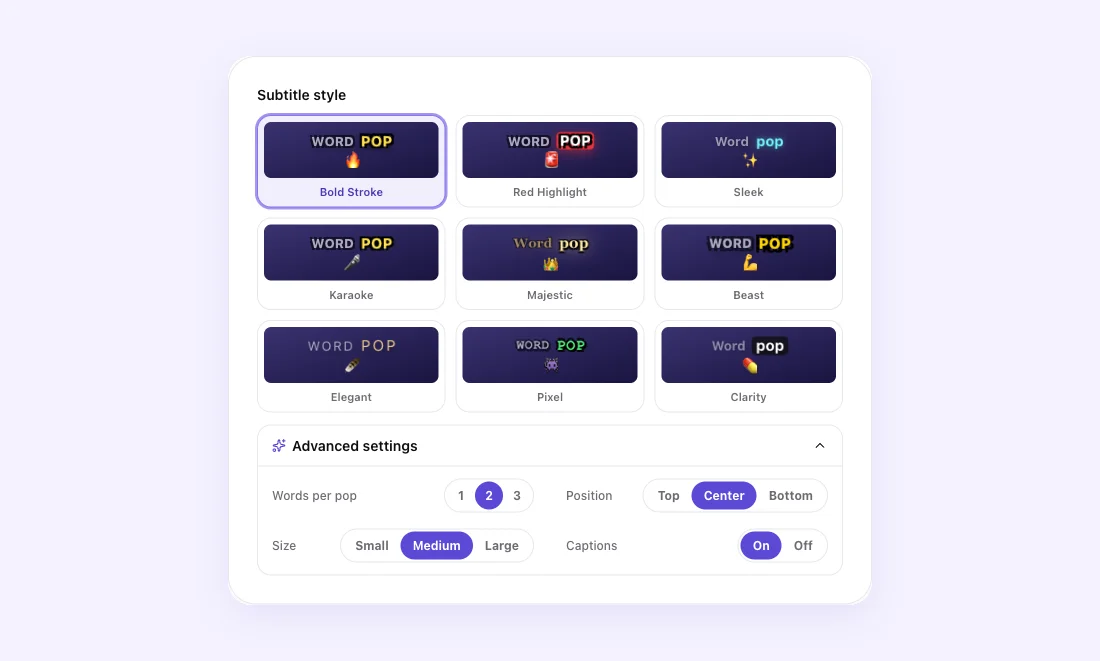
What it controls. How the words appear on screen: the caption style, how many words show at once, where they sit (top, center or bottom), how big they are, and whether captions are on at all.
How to pick. Lots of people watch with the sound off, so captions usually help. Pick a style that fits the video — a loud, bouncy style suits comedy and fast facts; a calm, clean style suits stories and bedtime content. Show fewer words at a time for fast narration, and move the captions away from the part of the picture people need to see.
Usually goes wrong because…
- The captions cover the subject. Change the position.
- Too many words at once. Lower the words per pop so each line is easy to read.
- The style clashes with the video. A party-style caption on a quiet story looks out of place.
Step 7: Read the script before the video is made
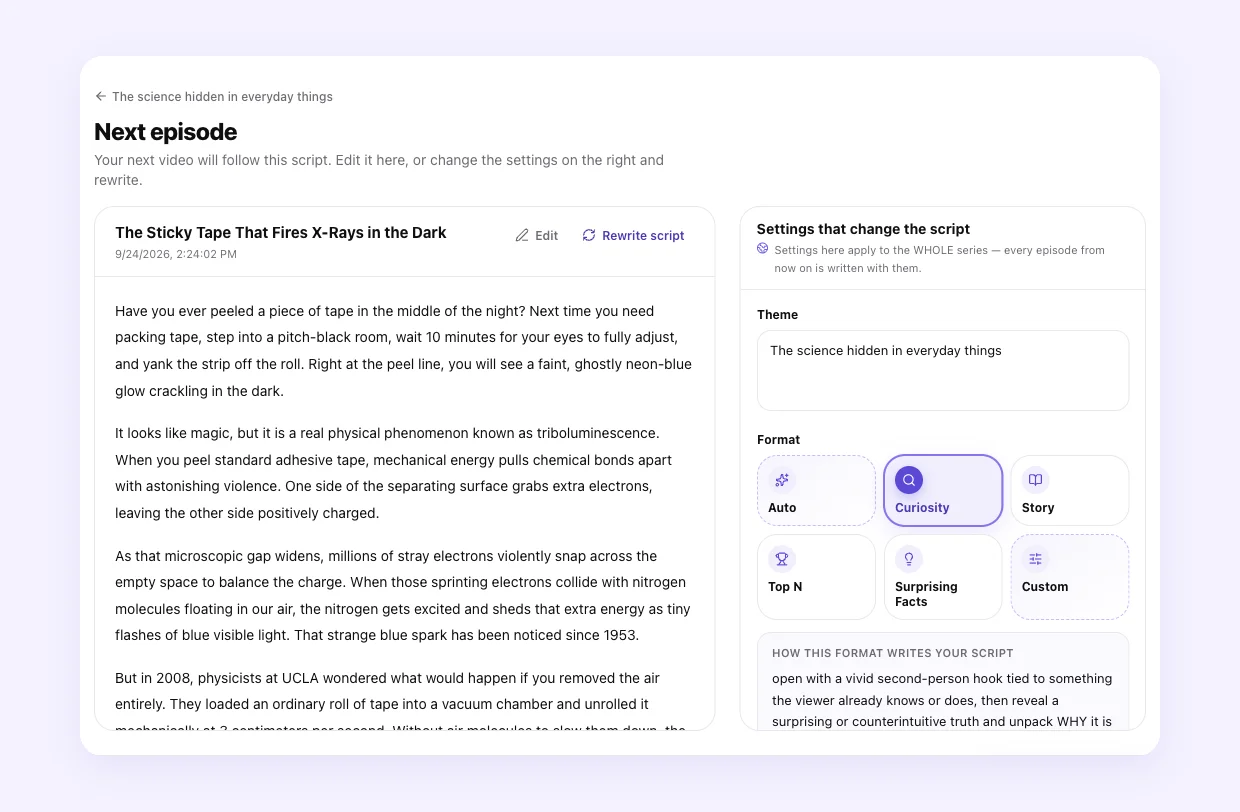
This is the step most people skip, and it saves the most time. In a Fableclip series, the next episode's script is written ahead of time. Open it and read it. If it isn't the story you want, edit it yourself, or change a setting on the right — the theme, the writing style, the length, the art style — and press Rewrite script. Writing and rewriting scripts is free; video credits are only used when the video is actually made.
Thirty seconds of reading here catches a wrong writing style or a muddled idea before it turns into a whole video.
Step 8: Fix what's left after the video is made
Even with good settings, a scene or two may come out differently than you pictured. You don't have to start over. In the video editor you can redraw a single scene, and change the captions, music and voice, then re-render. If the problem is the story itself, go back to the series settings — changes there apply to every episode from then on.
When a video comes out wrong
| What you see | Usually because | What to change |
|---|---|---|
| The script isn't about what you asked | The writing style doesn't fit the idea, or the theme mixes two ideas | Pick Story / Auto, write one clear theme, read the next script before it's made |
| It feels rushed or confusing | Too much story for the length | Pick a longer length, or split the idea into a series |
| It drags or repeats itself | A thin idea stretched too long | Pick a shorter length, or give the theme more to say |
| The narrator sounds wrong | The voice doesn't match the narrator's age, gender, mood or language | Preview voices on your own opening line; try Premium Voice |
| The pictures feel off | The art style doesn't match the tone, or a custom style describes people instead of a look | Choose a style that fits the mood; describe only the look |
| It feels flat or unfinished | No music, or the wrong mood | Add music that matches the story |
| You can't hear the narration | The music is too loud | Turn the music down in the editor |
| The captions are hard to read | Too many words at once, or they cover the subject | Fewer words per pop; move them to the top or bottom |
Ready to try it? Create a faceless series in Fableclip, go through each step with this guide open, and read the first script before you commit.
Frequently asked questions
How do I make faceless videos that look professional?
Start with one clear idea and a writing style that fits it, then make every setting agree with that idea: a length that fits the story, an art style that sets the right mood, a voice that sounds like the narrator, music under the voice and captions that are easy to read. Read the script before the video is made.
What length should a faceless video be?
Let the idea decide. One fact or twist fits a short video; a story with a setup and a payoff needs more room. YouTube counts vertical videos up to three minutes as Shorts, but that is a limit, not a goal. If an idea has chapters, make it a series.
Why does my AI narration sound wrong?
Usually the voice doesn’t match the narrator or the mood — the wrong age or gender, a bright voice on a scary story, or a voice built for a different language. Preview voices on your own first line, and try Premium Voice if you want the narration to act rather than just read.
Can I change a Fableclip video after it is made?
Yes. In the video editor you can redraw a single scene and change the captions, music and voice, then re-render. To change the story itself, edit the series settings; for the next episode, you can read and edit the script before it’s made.
Turn one topic into a faceless series
Fableclip writes the script, voices it, illustrates it, captions it, and auto-publishes every episode to TikTok, YouTube and Instagram. Free video slots cover your first video.
Start a free series →